Managing Inactive status on employee records
I order to control access to users who may 'inactivate' employee records, Powerforce has been enhanced with the following functionality.
User Access
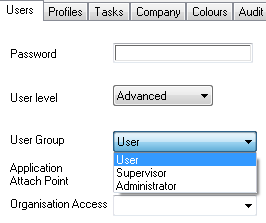
Data access is controlled by the user login record. Where the user level is less that Supervisor (i.e. User), that user will not be able to 'inactivate' an employee record.
Updating the Employee Record
The employee details screen has a simple checkbox allowing for the setting of in/active status.
The program logic has been enhanced to work as follows:
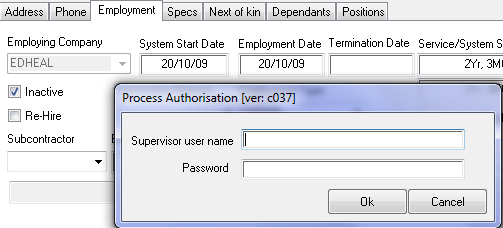
When the "Inactive" checkbox is checked, if the user does not have Supervisor rights, then the Process Authorisation screen (as shown above) is displayed. To proceed requires that a user with Supervisor or higher rights signs in to authorise the change. If the change is not authorised (press Cancel button), the "Save" button on the employee details screen is disabled, 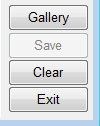 therein prohibiting the data from being saved to the database.
Updating the Employee Record
Additionally, all changes to employee records made through the employee details screen are now being audited.