Home
TimeSheet Exceptions Reports ™
Top of Page
Introduction
The following reports allow you to review the data within the AI system.
- The Day Types Compariosn provides statistical data in relation to the type of day (eg sick leave, training) ratios to the overall hours worked.
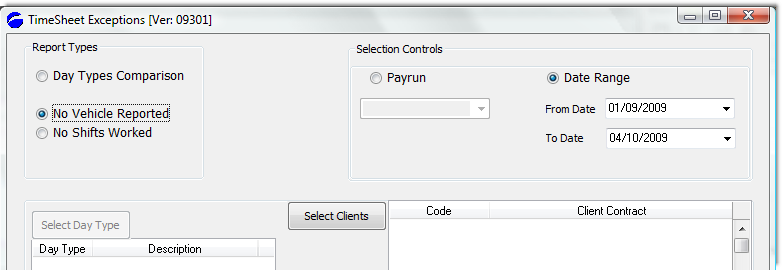
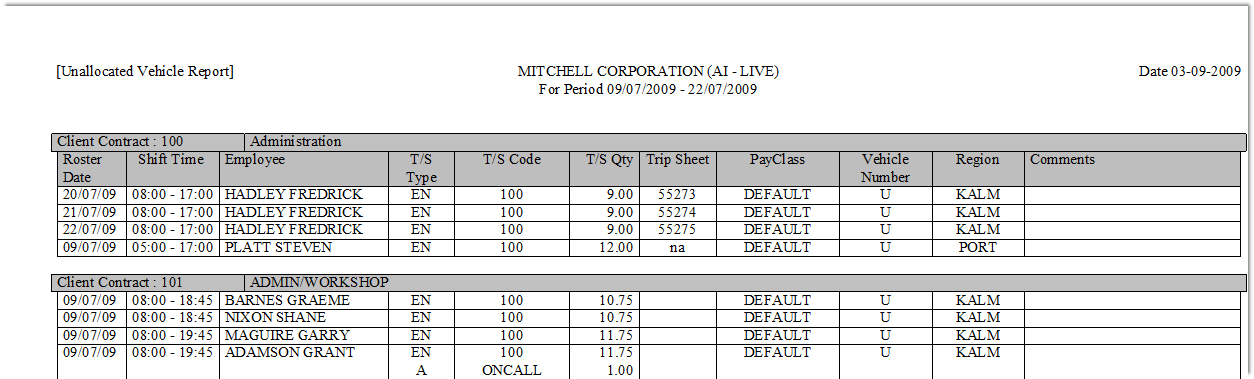
- The No Vehicle Reported gives you an analysis of those time sheet entries where no vehicle details have been entered.
Allows you a quick cross-check of the time sheet data prior to posting to payroll.
- The No Shifts Worked gives you a run down of those employees that have no shifts for the period you select.
Top of Page
Day Types Comparison - Date Range
Select Day types from the Report Types section and enter a Date Range to limit the period over which you run the report.
You would also likely run this report prior to a payrun to report against the data loaded in through the time sheets.
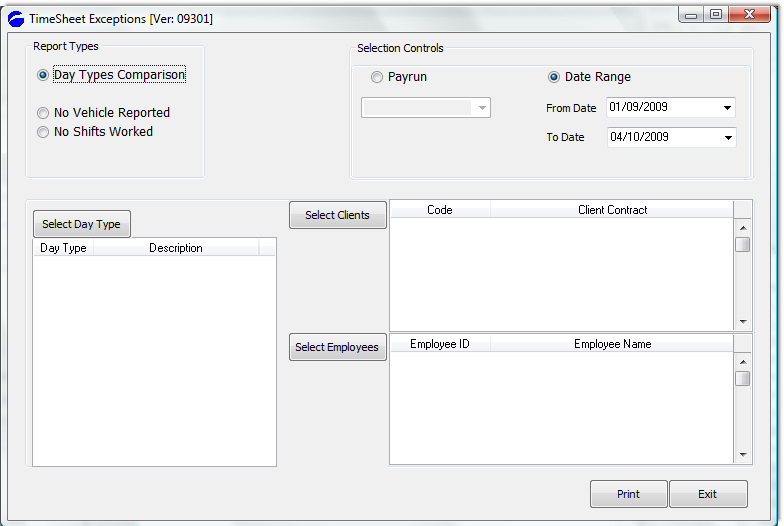
The sample report output is below:
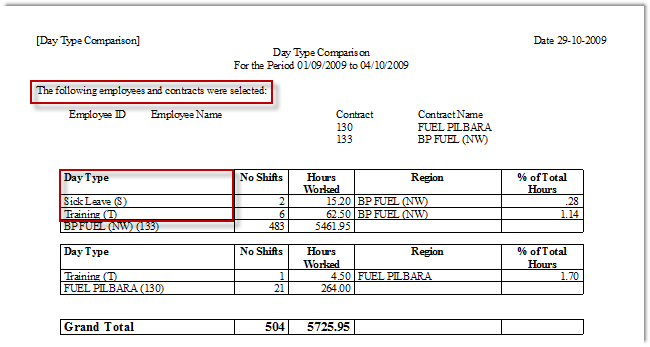
Day Types Comparison - via Payrun
Running the same report, however limiting the analysis against an actual payrun, you would select the report parameters as below:
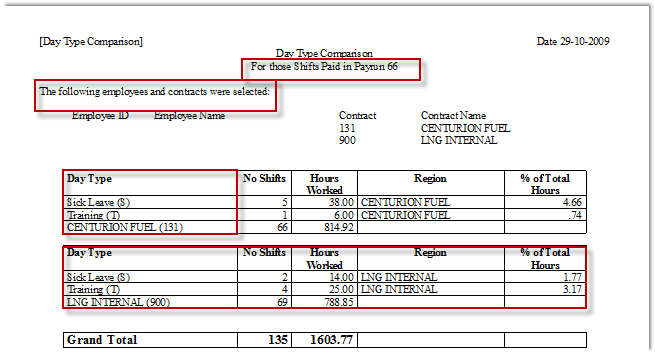
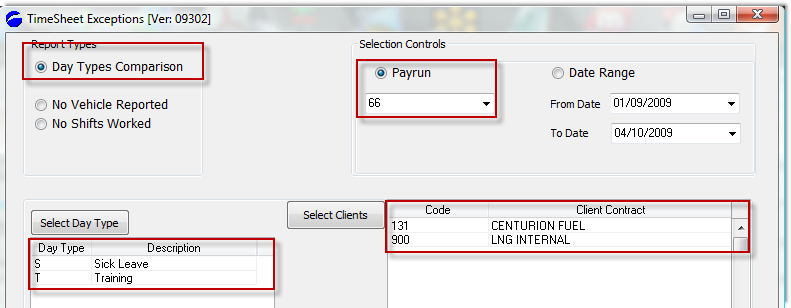 And the sample output from this selection is below:
Top of Page
Unallocated Vehicle Report
X
 X X
Top of Page
No Shifts Worked Report
XX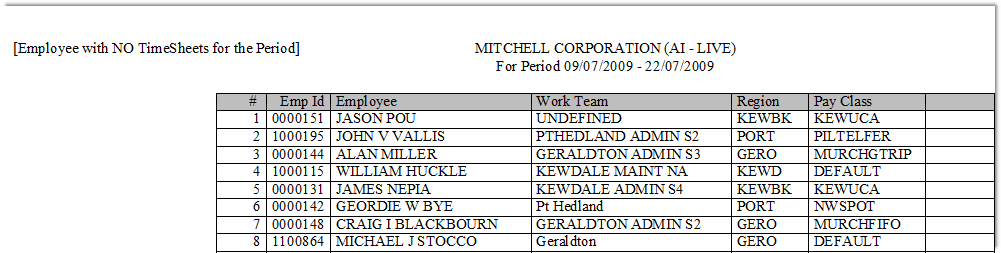
Top of Page
See Also
 PowerForce Controls PowerForce Controls
|