Home
Meridian Export
Top of Page
Introduction
NOTE: The directory that is defined here is always relative to the employee or workstation that ran the export.
I.E., If this is on a network drive, (eg drive U:), then as long as everyone has the same drive U:, the file will be available to those employees.
Top of Page
Step 1
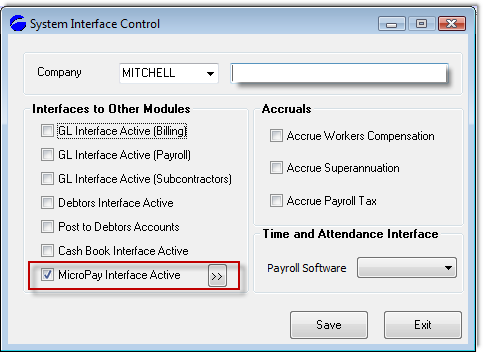
Open the interface control screen and click the double chevron following the "Micropay Interface Active" text to open the next screen.
Top of Page
Step 2
This screen configures the particulars relating to the Micropay Interface.
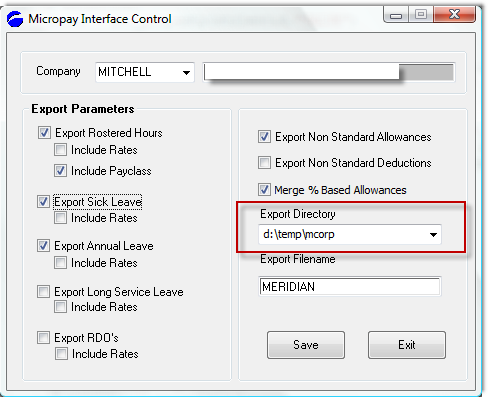
In this instance the full path name of the file created will be "d:\temp\meridian", relative to the person who ran the export.
Ensure that your system is configured to reflect this location and file name correctly.
Top of Page
See Also
 PowerForce Controls PowerForce Controls
|