Home > Tutorials

SRS18569 - PowerForce ™
Introduction
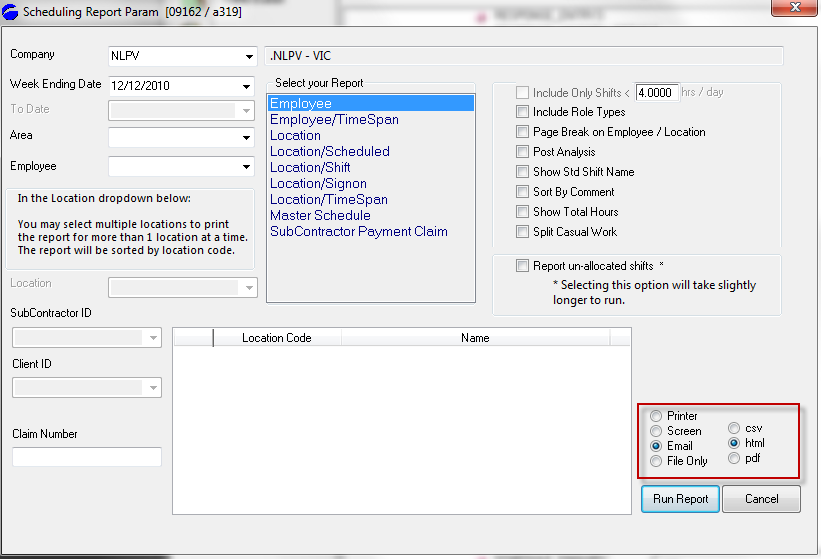
The following changes have been made to the scheduling report screen:
Top of Page
Detail
Prior to this change (15/11/10), when Batch Report was selected, the code would force the output for .csv format.
In certain circumstances the suffix to the created file would not be .csv and hence the report appeared incorrect.
The user now has the explicit selection of csv, html and .pdf formats, all of which work correctly when Batch Report is selected.
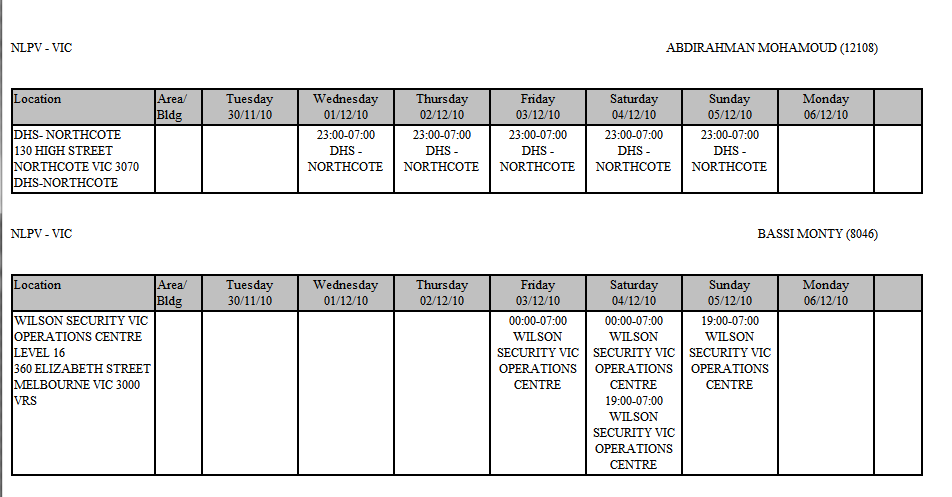
If the user selects .html as the output format, and reads the file created using excel, you will receive a well formated file (similar to .pdf format) as well as the dual benefit of it being a generic Excel legible format.
Top of Page
html format output
Top of Page
Section
XX
Top of Page
See Also
 PowerForce Controls PowerForce Controls
|