Home
SWB User Preferences
Introduction
It's unlikley that everyone will want the scheduling workbench to display exactly the same, therefore we provide you with the mean to tailor the options to yourself.
|
Getting There:
[ Preferences ] –>
|
Top of Page
Chaninging your Preferences
Make the changes as necessary. The following are most often set:
- Show un-allocated shifts : This will display those shifts that do not have employees yet assigned.
- Show availability : This will show you an employee's availability as well as their rostered shifts on the SWB.
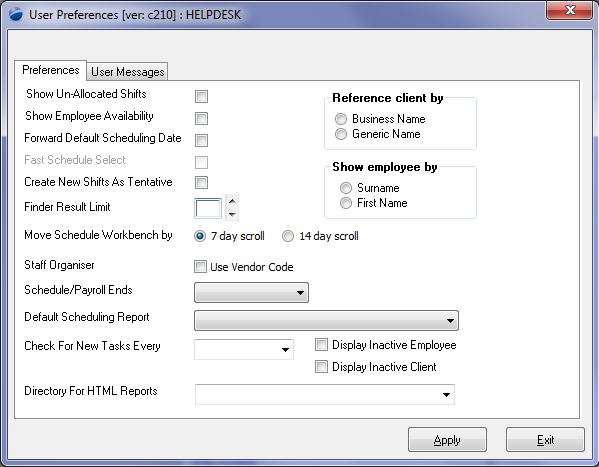
- Move Schedule Workbench by - the Scheduling Workbench allows for viewing by 7, 14 and 31 days at a time. The default behaviour of moving forward / back with the arrows is 7 days (irrespective of the view selected). Selecting 14 day scroll will change that to 14 days
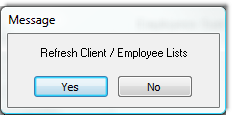
When you Apply the changes (whether you've made any or not), you will be prompted with the following:
Accept the prompt as this rebuilds the cache of client and employee names.
Top of Page
See Also
 PowerForce Controls PowerForce Controls
Scheduling Workbench Intro
Top of Page
|