Home
move Plant Equipment™
Move plant equipment allows for the re-allocation of plant between Job Sites.
|
|
Introduction
To access the plant movement process, use the menu option "Move Plant between Jobs", which will raise the following screen. The display is self-explanatory showing which plant is at what site.
Both sides of the display are effectively the same, as it shows what the details are, and having moved the items, the redisplay will again show what the new relationship is.
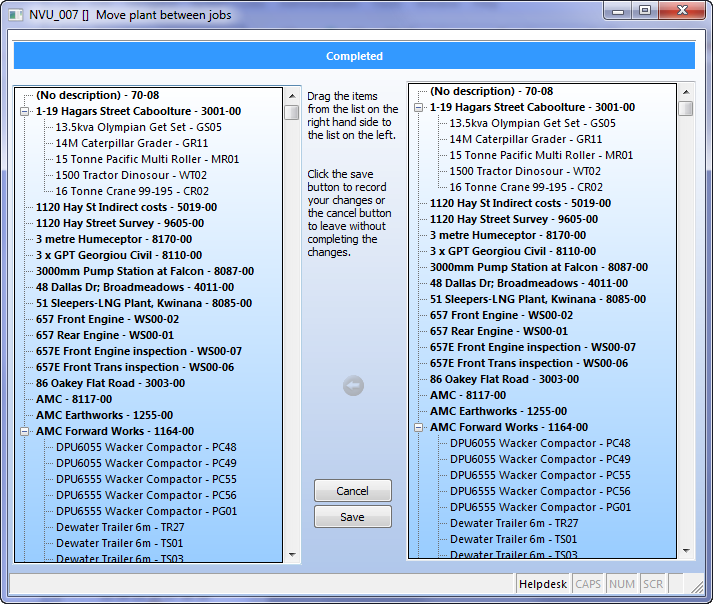
Moving Plant
The form requires that to move plant, you may click one or more items on the right hand side panel to the site on the left hand side, and then release the mouse button to drop the item(s).
Once the move is completed the display will update on both the left and right hand sides.
Press save to make your move permanent
Top of Page
See Also
 Plant Timesheet Entry Plant Timesheet Entry
Top of Page

Article updated by PowerForce Software on Monday, March 14, 2010.
Copyright ©2007-2013 Envizion Systems - All Rights Reserved - Terms of Use.
|